





Generating a debit card PIN is an important step to start using your card safely at ATMs and for daily transactions. Kotak Debit Card PIN Generation is a simple process that allows customers to set or reset their PIN using multiple easy methods. Whether you are a new cardholder or want to change your PIN, options like ATM, mobile banking, and phone banking make Kotak PIN generation quick and hassle-free. Many users also search for Kotak PIN generate steps when they receive a new card or forget their old PIN. With secure systems in place, Kotak ATM PIN generation ensures your card remains protected while giving you full control over your banking activities. In this guide, we explain all the simple ways to generate your Kotak debit card PIN easily.
Kotak Mahindra Bank Debit Card PIN Generation through SMS
Kotak Mahindra Bank allows customers to generate a debit card PIN through SMS using their registered mobile number. This method is mainly used when you receive a new debit card or want to set your Kotak debit card PIN (6 digit) for the first time.
Steps for Kotak Debit Card PIN Generate via SMS:
- Send an SMS in the following format from your registered mobile number:
PIN <space> Last 4 digits of Debit Card <space> Date of Birth (DDMMYY) - Send the SMS to 5676788 or 9971056767.
- You will receive an OTP on your registered mobile number.
- Visit the nearest Kotak ATM.
- Insert your debit card, select Create / Generate PIN, enter the OTP, and set your Kotak debit card PIN (6 digit).
Important Points:
- SMS PIN request is mandatory before Kotak ATM PIN generate at the ATM.
- Mobile number must be registered with the bank.
- This method works only for Kotak debit card pin generate, not for credit cards.
This is the official SMS-based method for Kotak debit card PIN generation.
Also Read: Kotak Bank Credit Card PIN Generation Online 2026
Kotak Debit Card PIN Generation through ATM
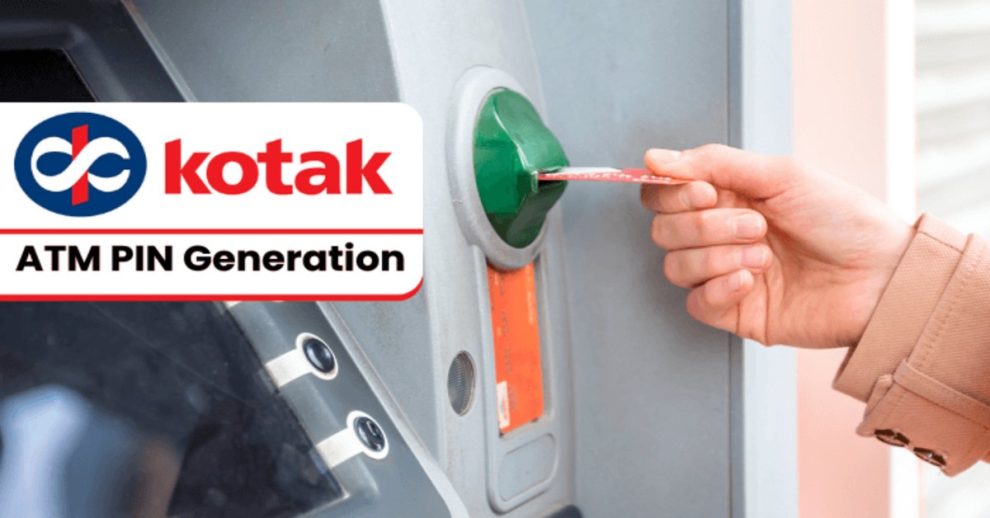
Kotak Mahindra Bank allows customers to generate or reset a debit card PIN directly at a Kotak ATM. This method is used after raising a PIN request through SMS or phone banking and is meant only for Kotak debit card PIN setup (not for regular ATM transactions).
Steps for Kotak Debit Card PIN Generation at ATM:
- Visit the nearest Kotak Mahindra Bank ATM.
- Insert your Kotak debit card into the ATM.
- Select Create PIN / Generate PIN on the screen.
- Enter the OTP received on your registered mobile number.
- Set and confirm your new Kotak ATM PIN.
- Your Kotak debit card PIN generator process is completed instantly.
Important Notes:
- OTP is mandatory before ATM PIN generation.
- This process is only for debit cards; Kotak Mahindra Bank credit card PIN generation follows a different method.
- Ensure privacy while entering your PIN at the ATM.
This is the official ATM method to generate or reset a Kotak debit card PIN.
Kotak Debit Card PIN Generation through Mobile App
Kotak Mahindra Bank allows customers to generate or reset their debit card PIN directly through the Kotak Mobile Banking App. This method is commonly used by savings account and Kotak 811 debit card users who want a quick and secure way to set their PIN without visiting an ATM.
Steps to Generate Kotak Debit Card PIN via Mobile App:
- Download and open the Kotak Mobile Banking App on your smartphone.
- Log in using your CRN and mobile banking credentials.
- Go to Cards / Debit Card Services.
- Select Generate PIN / Reset Debit Card PIN.
- Enter your debit card details and verify using the OTP sent to your registered mobile number.
- Set and confirm your new PIN.
Important Points:
- This method works for Kotak 811 debit card PIN generate requests.
- Mobile number must be registered with the bank.
- This answers how to get Kotak debit card PIN and how to get Kotak ATM PIN without visiting a branch or ATM.
This is the official mobile-app method for Kotak debit card PIN generation.
Kotak Mahindra Bank Debit Card PIN Generation through Internet Banking
Kotak Mahindra Bank allows customers to generate or reset their debit card PIN using Internet Banking. This method is useful if you have net banking access and want to complete Kotak PIN generation without visiting an ATM or using the mobile app.
Steps for Kotak Debit Card PIN Generation via Internet Banking:
- Visit the official Kotak Mahindra Bank Internet Banking website.
- Log in using your CRN and net banking password.
- Go to Cards / Debit Card Services.
- Select Generate PIN / Reset Debit Card PIN.
- Enter your debit card details and verify using the OTP sent to your registered mobile number.
- Set and confirm your new PIN to complete Kotak debit card PIN generation.
Suggestive Read: LIC Merchant Portal Online: Login, Registration & More 2026
Important Points:
- This method supports both new and existing debit cards.
- Registered mobile number is mandatory for OTP verification.
- It is a secure way to Kotak PIN generate online.
This is the official internet banking method for Kotak debit card PIN generation.
Kotak Bank Debit Card PIN Generation through the Official Website
Kotak Mahindra Bank allows customers to generate or reset their debit card PIN directly from its official website, without visiting a branch or ATM. This method is useful if you want to complete Kotak ATM PIN generation online using your registered mobile number.
Steps to Generate Kotak Debit Card PIN via Official Website:
- Visit the official Kotak Mahindra Bank website.
- Click on Debit Card Services / Generate PIN.
- Enter your debit card details and registered mobile number.
- Verify your identity using the OTP sent to your mobile.
- Set and confirm your Kotak debit card PIN (6 digit).
- Your Kotak debit card PIN generate process is completed instantly.
Important Points:
- Works for first-time and reset PIN requests.
- Mobile number must be registered with the bank.
- This method answers how to Kotak ATM PIN generate securely online.
- Always keep your Kotak debit card PIN confidential.
This is the official website-based method for Kotak debit card PIN generation.
How does Kotak Credit Card PIN Generation work?
Kotak Credit Card PIN Generation is done through customer care, mobile banking app, or internet banking, and it is different from debit card ATM PIN setup.
What is ATM PIN generation in Kotak Mahindra Bank?
ATM PIN generation allows you to set or reset your debit card PIN using ATM, SMS, mobile app, or online services.
Is Kotak Debit Card PIN generation QR code available?
Currently, Kotak does not offer Kotak Debit Card PIN generation through a QR code; PINs must be generated via official banking channels.
Can I use the Kotak ATM PIN generate app?
Yes, you can use the Kotak Mobile Banking App to generate or reset your debit card PIN securely.
How does ATM PIN Generation Kotak Mahindra Bank by SMS work?
You send a PIN request SMS from your registered mobile number, receive an OTP, and then generate the PIN at a Kotak ATM.
How to do Kotak Debit Card PIN change online?
Kotak Debit Card PIN change online can be done through internet banking or the official Kotak mobile app after OTP verification.
What is the Kotak Debit Card PIN Generation customer care number?
You can contact Kotak customer care through the official helpline listed on the bank’s website for PIN generation assistance.
Is Kotak Debit Card PIN Generation QR code online supported?
No, Kotak Debit Card PIN Generation QR code online is not supported; only official digital and ATM methods are available.





Add Comment